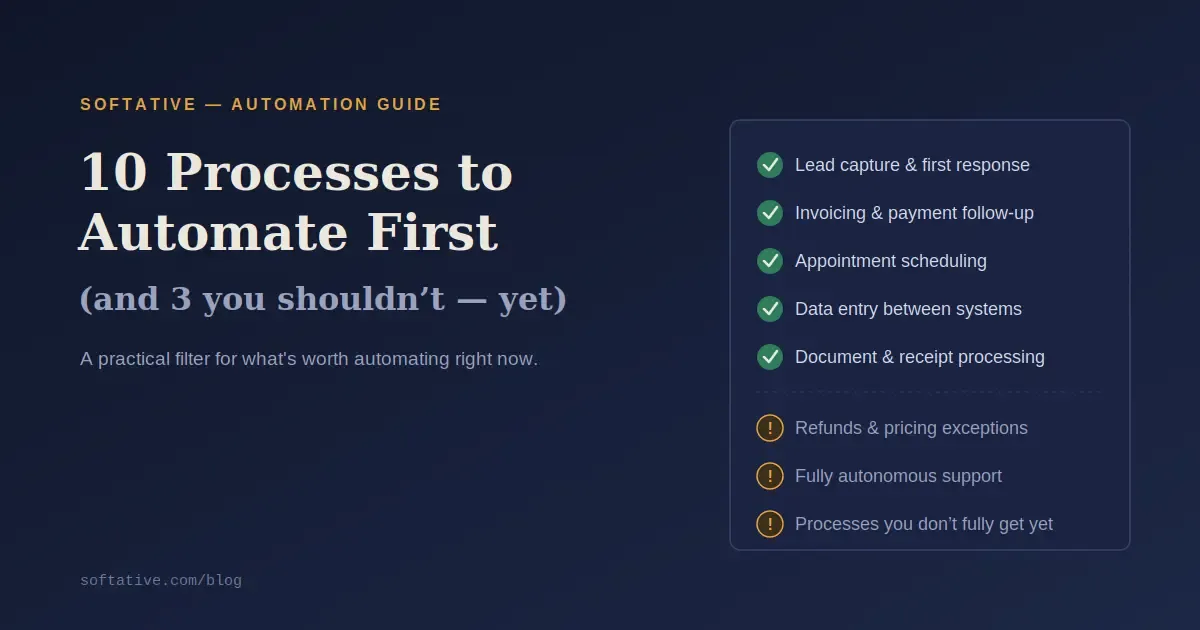
10 Business Processes You Should Automate First
The businesses actually winning with automation in 2026 aren't automating the most things. They're automating the right things, in the right order. Here's how to tell the difference.
Every business owner eventually has the same realization: too much of the week is gone before anything strategic gets touched. The instinct that follows is usually "we need to automate more" but that instinct, applied without a filter, is exactly how businesses end up with a pile of half-working Zaps and no clearer picture of ROI than before they started.
How to Pick What to Automate First
Before any list of ideas, the filter matters more than the list. The best candidates for automation share three traits: they happen often, they follow consistent, describable steps, and getting them wrong is either costly or time-consuming to fix. A useful gut-check: if you had to explain the process to a new hire in five minutes, could you do it clearly? If not, the process itself needs cleaning up before it's worth automating automating a messy process just makes the mess happen faster.
Prioritize by impact, not complexity. A simple automation that saves two hours a week beats an elaborate one that saves twenty minutes.
10 Processes Worth Automating First
1. Lead capture and first response
A form submission should create a CRM contact and trigger a confirmation within minutes, not whenever someone next checks the inbox. Speed matters more than most owners realize: a lead that sits unanswered for a day often goes to whichever competitor called first. Routing by lead type (and escalating if nobody responds within a set window) turns this from "hope someone notices" into a guaranteed first response every time.
2. Invoicing and payment follow-up
Automatically generating an invoice when a job or order closes, then sending staged reminders — a friendly nudge, a firmer one, a late notice removes one of the most awkward recurring tasks in any business: chasing money. Businesses that automate this consistently see payments arrive noticeably faster and outstanding receivables drop.
3. Appointment scheduling and reminders
Booking, confirmation, and reminder messages reduce no-shows and remove the back-and-forth of finding a time that works. This is one of the lowest-effort, fastest-payback automations available, especially for service businesses.
4. Data entry between systems
Copying information from a form, spreadsheet, or email into another tool is the single most common "this is eating our week" complaint in small businesses. It's also one of the easiest things to automate, since the steps rarely change.
5. Customer onboarding
New customers shouldn't wait while someone manually sends documents, schedules a kickoff call, and answers the same setup questions every time. Automating the handoff — welcome email, document delivery, task creation keeps momentum right when a customer's enthusiasm is highest, while leaving room for a human to step in for the parts that actually need a person.
6. Support ticket routing
If your team is reading every inbound email or message just to figure out where it should go, you're paying skilled people to sort mail instead of solving problems. Automated routing classify the request, assign urgency, send an acknowledgment, push it to the right queue fixes that without needing a fully autonomous support bot.
7. Recurring reminders and status updates
Overdue task nudges, weekly status reports, and recurring check-ins are exactly the kind of thing that quietly drains a manager's day. Automating them doesn't just save time, it reduces the mental overhead of being the one person who has to remember everything.
8. Document and receipt processing
Pulling structured data out of invoices, receipts, or contracts (OCR-based extraction) saves real hours for any business where someone is currently retyping numbers from PDFs into a spreadsheet or accounting system. Keep a human review step for exceptions messy scans and odd formats will still happen.
9. Social and review management
Consistent posting and review requests are easy to let slip, and inconsistency reads as "inactive" to both customers and search algorithms. Scheduling distribution (not writing the content) is a safe, low-risk automation.
10. Finance approvals
Routing expense or invoice approvals automatically to the right person, with notifications and escalation built in removes the email-chain bottleneck that slows down a surprising number of small teams.
3 Processes You Shouldn't Automate Yet
1. Anything customer-facing with money attached
Refunds, contract terms, and pricing exceptions should stay with a human making the final call. Automate the drafting and the routing not the decision.
2. Fully autonomous customer support
Going straight to an AI bot that resolves tickets end-to-end, with no human checkpoint, is a common overreach. Start with dependable routing and triage; add autonomy later, once you trust the pattern.
3. Any process you don't fully understand yet
If you can't describe the process cleanly, you're not ready to automate it you're ready to document it first. Automating an unclear process doesn't create clarity. It just locks the confusion into a system that runs faster.
The Pattern Behind the List
Notice what the "automate first" list has in common: it's mostly routine, rule-based, and recoverable if something goes briefly wrong. The "not yet" list is the opposite judgment calls, irreversible actions, or undocumented chaos. That's the actual filter, more than any specific tool or task.
Where to Actually Start
Pick the one process your team complains about most consistently the one people sigh about every single week. Automate that one completely. Prove it saved real time or money. Then move to the next. That's the whole strategy. Businesses that try to automate everything at once usually end up automating nothing well.
Not Sure Which Process to Start With?
If you're staring at a list like this and not sure which one is actually costing you the most, that's a conversation worth having before you build anything. Softative can help you map your highest-friction process and figure out whether the right fix is a simple no-code workflow or something built custom around how your business actually runs.
Written by Yash Patel