How to Improve Website SEO
Search engine optimization can feel overwhelming when you're just getting started. Between technical audits, keyword research, and performance tracking, it's easy to lose sight of what actually moves the needle. how SEO works, and the right tools to act on them.
Key Facts About SEO You Should Know
Before diving into tools, it helps to understand a few fundamentals that shape every SEO decision you'll make:
- SEO is a long-term game. Most sites don't see meaningful ranking movement for 3 - 6 months after making changes. Google needs time to recrawl, re-index, and re-evaluate your pages against competitors.
- Rankings are decided by hundreds of factors. Content relevance, page speed, backlinks, mobile usability, and site structure all play a role no single fix guarantees a top spot.
- Page experience matters as much as content. Core Web Vitals (loading speed, interactivity, and visual stability) are confirmed ranking signals, so a slow or clunky site can hold back even great content.
- Not all traffic is equal. Ranking for the right keywords ones that match what your actual customers search for matters far more than chasing high-volume terms that don't convert.
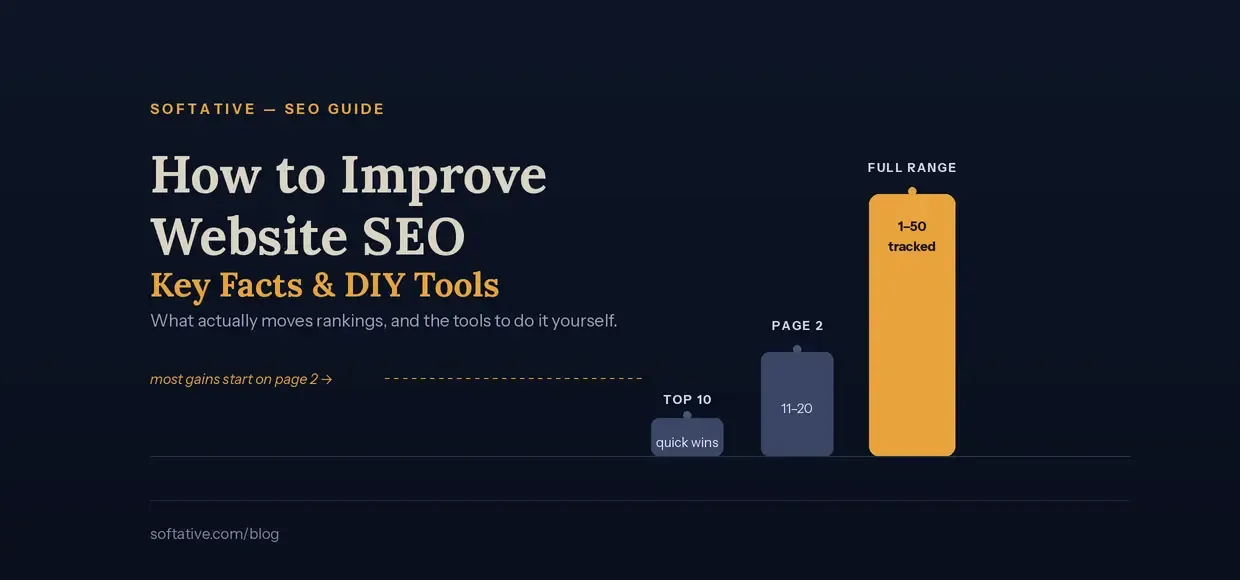
- Page 2 is where opportunity hides. Queries ranking in positions 11-20 or 21-30 are often just a few small improvements away from breaking into page one, making them some of the fastest wins available.
- SEO is measurable. Every part of the process visibility, clicks, rankings, and user behavior can be tracked, which means you don't have to guess whether your efforts are working.
With those fundamentals in mind, here are the DIY tools that let you put them into practice.
DIY SEO Tools
1. Google Search Console
If you want to do SEO yourself and grow your site's visibility in Google, Search Console is one of the best SEO tools you need. It's free, it's built directly by Google, and it gives you a direct line into how Google sees your website.
With Search Console, you can:
- See which queries are bringing people to your site
- Check your average position, clicks, and impressions for every page
- Find and fix indexing errors before they hurt your rankings
- Submit sitemaps so Google can crawl your content faster
- Get alerts for mobile usability issues or manual actions
Think of it as the foundation of your SEO toolkit almost every other tool on this list works better when it's connected to your Search Console data.
2. Google PageSpeed Insights
Google PageSpeed Insights is a tool that tests any page on your site and tells you how fast it loads on both mobile and desktop. Page speed isn't just a nice-to-have anymore it's a confirmed ranking factor, and slow pages lose visitors before they even see your content.
PageSpeed Insights breaks your results down into Core Web Vitals (Largest Contentful Paint, Interaction to Next Paint, and Cumulative Layout Shift), then gives you specific, actionable recommendations like compressing images, removing render-blocking scripts, or enabling browser caching. Run it regularly, especially after redesigns or major content updates, so performance issues don't quietly creep in.
3. Google Keyword Planner
This is a research tool inside Google Ads that shows you keyword ideas, search volumes, and competition levels. Even though it was built for advertisers, it's one of the most reliable free resources for organic keyword research too.
Use Keyword Planner to:
- Discover new keyword ideas related to your niche
- Compare monthly search volume across different terms
- Gauge how competitive a keyword is before you build content around it
- Spot seasonal trends in search demand
Pair the data here with what you already rank for in Search Console, and you'll have a much clearer picture of which topics are worth writing about next.
4. Google Analytics
With Analytics, you can fine-tune your digital strategy, optimize your campaigns, and take your online presence to new heights. While Search Console tells you how people find your site, Analytics tells you what they do once they arrive.
You'll be able to track:
- Which pages keep visitors engaged and which cause them to bounce
- How organic traffic compares to other channels like social or paid
- Conversion paths, so you know which content actually drives sign-ups or sales
- User behavior across devices, locations, and sessions
Used together, Search Console and Analytics give you the full picture from the first search query to the final conversion.
5. SEO Rank
Once you're collecting all this data across multiple tools, the next challenge is making sense of it in one place and that's exactly where SEO Rank comes in.
SEO Rank lets you audit your pages and connect your Google Search Console account so you can clearly see whether your site is actually growing, and how your SEO is performing over time. Instead of digging through separate reports, you get a single dashboard that shows:
- How your overall visibility is trending, month over month
- How many queries are ranking in positions 1-10, 11-20, 21-30, 31-40, and 41-50
- Which pages are moving up and which ones are slipping and need attention
- Where your quickest ranking wins are likely to come from
This kind of positional breakdown matters because it shows you the queries sitting just outside the top 10 the ones that often need only a small push (better internal linking, an updated title tag, a bit more content depth) to break into page one. That makes SEO Rank a great complement to Search Console: it takes the raw data you're already collecting and turns it into a clear, actionable growth story.
SEO Rank vs. Other Tools: Data vs. Insight
Search Console, PageSpeed Insights, Keyword Planner, and Analytics are all excellent at one thing: collecting data. But that's also their limitation they hand you raw numbers and leave you to figure out what actually matters.
- Other tools throw data at you. You get tables of queries, clicks, impressions, and positions, but no clear answer to the question every site owner actually cares about: is my SEO working? You're left exporting spreadsheets, cross-referencing reports, and manually tracking whether rankings are trending up or down.
- SEO Rank takes that same data and shows what matters. By connecting directly to your Search Console account, it turns raw numbers into a clear growth story grouping your queries by position range (1-10, 11-20, 21-30, 31-40, 41-50) so you can instantly see where your site stands and where the fastest wins are hiding.
In short: the other tools tell you what happened. SEO Rank tells you what it means so instead of spending time interpreting data, you spend time acting on it.
Bringing It All Together
None of these tools work in isolation the real value comes from using them together as part of a regular routine:
- Search Console to monitor indexing and see which queries you're already getting impressions for
- PageSpeed Insights to make sure technical performance isn't holding you back
- Keyword Planner to find new topics worth targeting
- Analytics to understand what happens after someone lands on your site
- SEO Rank to tie it all together and track whether your rankings are genuinely improving over time
SEO isn't a one-time task it's an ongoing cycle of measuring, fixing, and refining. Start with these five tools, check in on them consistently, and you'll have everything you need to grow your site's visibility without guesswork.
Contact Us if you want to improve your rankings
Written by Yash Patel